

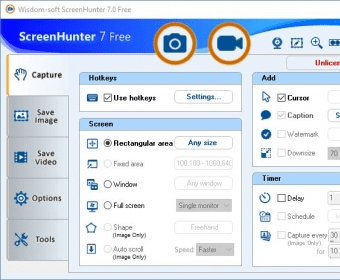
Wisdom-soft ScreenHunter Free is a Windows utility that enables you to take snapshots and record desktop activity on your PC. The application features simple to configure output settings, comes with a comprehensive help manual, and provides you with quality output files within moments.
You can define global hotkeys for immediately taking a screenshots or starting a video recording task. The output quality is excellent and the application runs quietly in the background, without using many CPU resources.
Sadly, not all of its features are available for usage. Instead, they're available only in the Pro and Plus editions of the application (record webcam, edit screenshots, export the video recordings to more formats, etc.). According to the information that's being available on homepage of the developer, the Pro edition appears to be the most feature-rich.
Also, even though its name suggests that the program is free of charge, it actually isn't, especially if you want to use it on multiple PC in a company.
In my opinion, you should first test the application and decide if it's worth buying it or opt for the Pro or Plus editions of the program.





Comments (19)
I would like to get "Wisdom-soft ScreenHunter 6.0 Free", please tell me where I can download it.
I do not need "Wisdom-soft ScreenHunter 7.0 Free" (only still image chapters are needed).
junji kanda